01
Explainers and infographics
Process diagrams and how-tos that rely on knowing how something actually works.
Generate and edit quickly, render accurate text, localize designs and resize for any placement, from 0.5K drafts up to 4K.
Creative workspace
Nano Banana 2 is Google DeepMind's Gemini 3.1 Flash Image model, released in February 2026. It brings much of Nano Banana Pro's quality to Flash speed: it can draw on real-time web search for specific subjects, renders precise text, keeps up to five characters and 14 objects consistent, and upscales to 2K or 4K.
These are the jobs people actually bring to Nano Banana 2, and the settings each one needs.
Process diagrams and how-tos that rely on knowing how something actually works.
Greeting cards, event posters and marketing mockups with the wording set exactly.
Resize one design from square to portrait to widescreen, and localize it for each market.
Nano Banana 2
The images below are Google DeepMind's published Nano Banana 2 examples, each showing one of the model's main capabilities.
 Official example · Google DeepMind
01
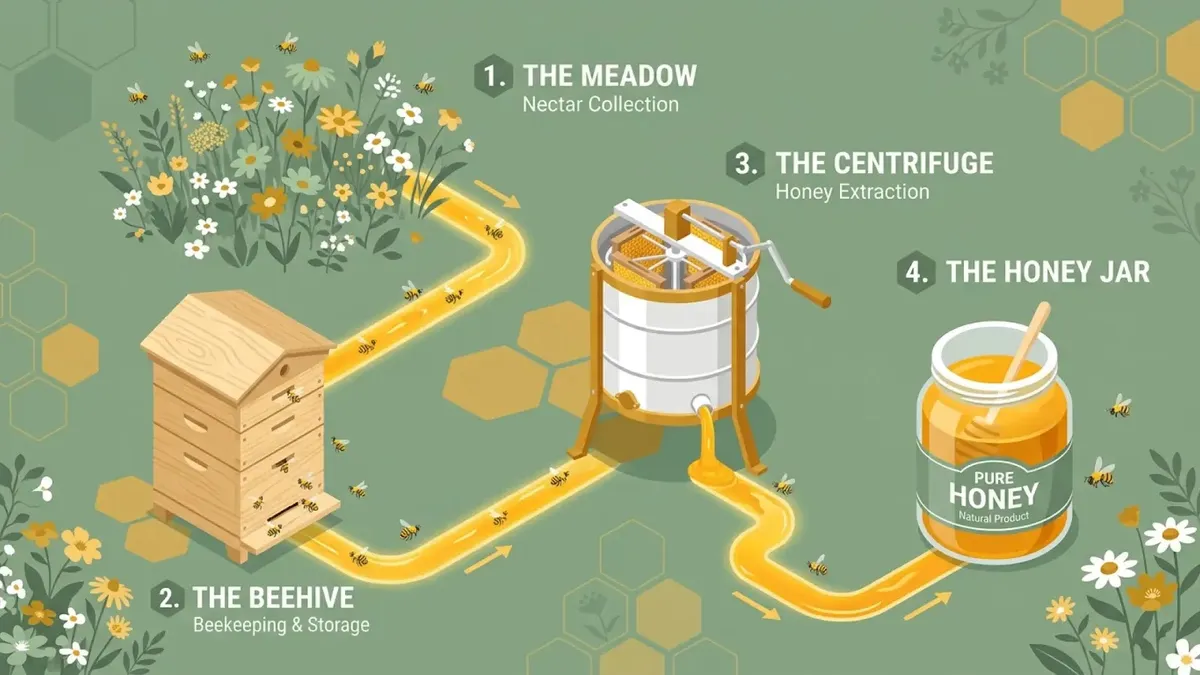
It draws on Gemini's knowledge and, for specific subjects, real-time web images, so diagrams like a honey production process show the right stages.
 Official example · Google DeepMind
02
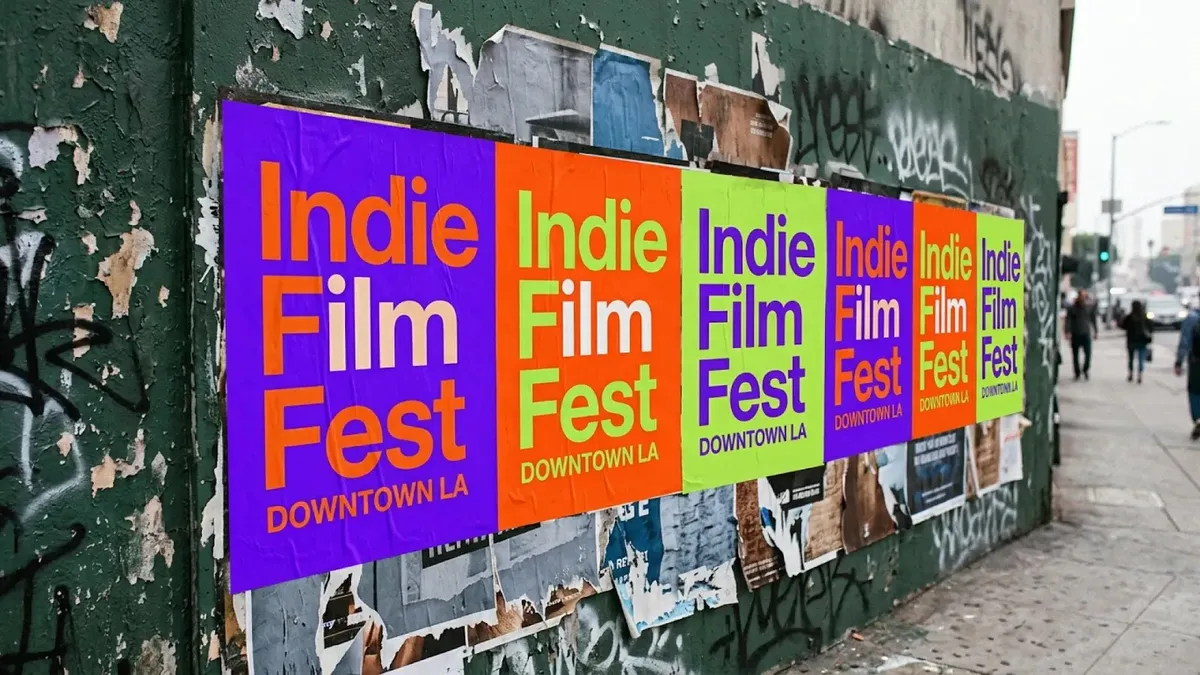
Headlines, dates and small print on posters and cards come out legible and spelled as written.
 Official example · Google DeepMind
03
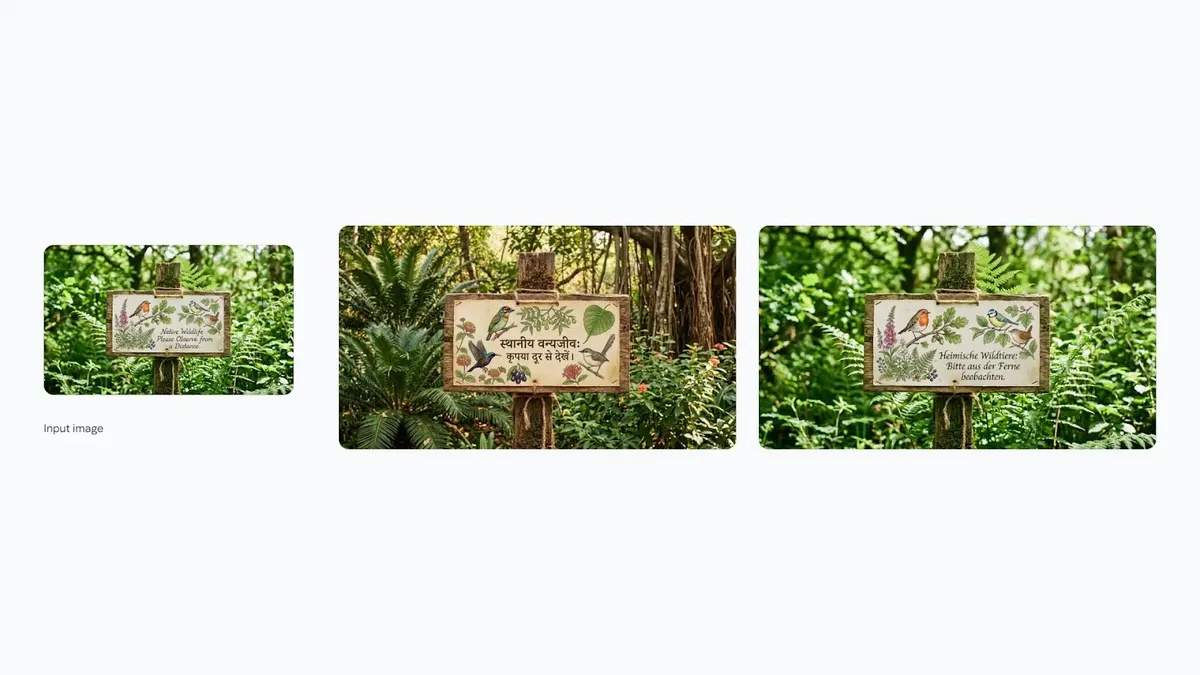
Translate the words already in an image, or move the whole setting to another place, while the design stays recognizable.
 Official example · Google DeepMind
04
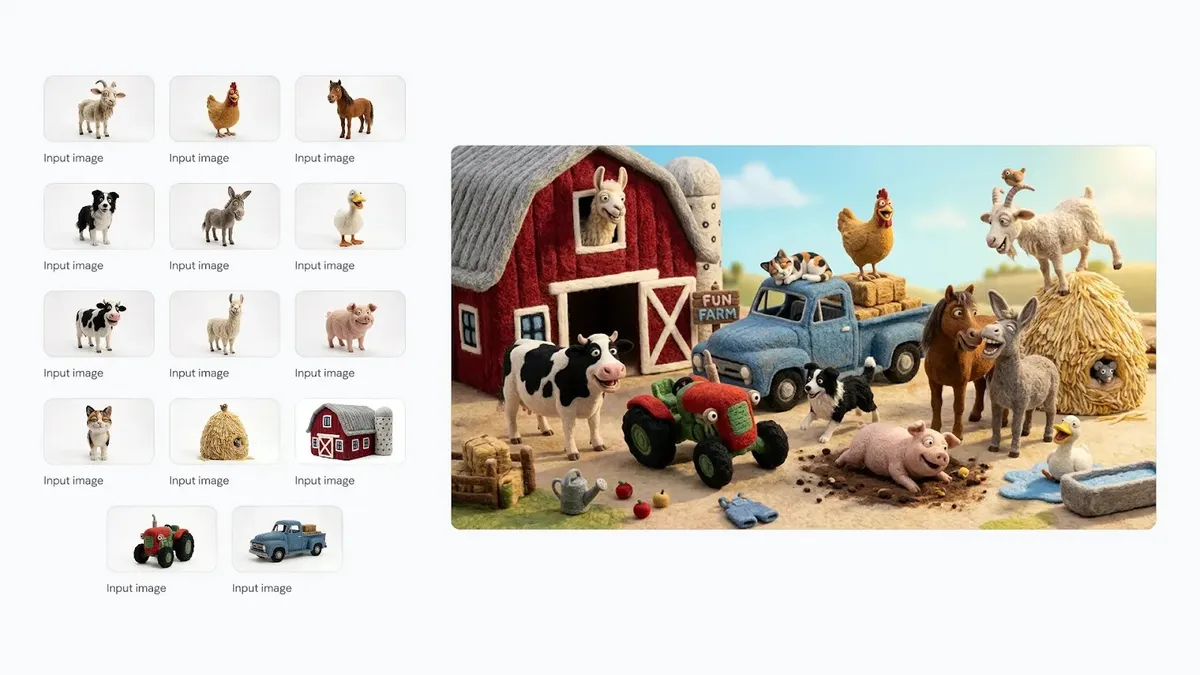
Up to five characters and 14 objects stay recognizable from image to image, which is what a series or storybook needs.
Nano Banana 2
Where Nano Banana 2 is the right call, and where a different model does the job better.
Compared with Nano Banana Pro
Faster and cheaper per image, with a wider resolution range from 0.5K
Compared with GPT Image 2
Choose speed, search-grounded subjects and format range
Best decision signal
You need many good images quickly, in several sizes
Describe a new image, or upload one or more images to edit or keep consistent.
Put the exact text in quotation marks and, for localization, name the target language or place.
Explore at 0.5K or 1K, then regenerate the chosen image at 2K or 4K in the aspect ratio you need.
Set up the brief now, then continue in the shared Studio workspace.