01
Drafting before a final render
Test staging, references and sound cheaply, then rerun the version that works on Seedance 2.0 or 2.5.
Same references, multi-shot output and sound as Seedance 2.0, delivered at 480P or 720P for 4–15 second clips. Use it for drafts, volume and social formats.
Creative workspace
Seedance 2 Mini is the low-cost tier of ByteDance's Seedance 2.0 family, released in June 2026. It keeps the family's multimodal references, multi-shot output and generated sound, and caps output at 720P and 24 fps; at 720P a second of video costs about half of what full Seedance 2.0 does.
These are the jobs people actually bring to Seedance 2 Mini, and the settings each one needs.
Test staging, references and sound cheaply, then rerun the version that works on Seedance 2.0 or 2.5.
720P is enough for most feeds, so many short variants cost far less than full-quality renders.
Run the same prompt against different images, clips or tracks to learn which reference steers the result best.
Seedance 2 Mini
ByteDance has not published Mini-specific demos, so the clips below are official Seedance 2.0 examples. Mini uses the same references, multi-shot structure and sound, at 480P or 720P.
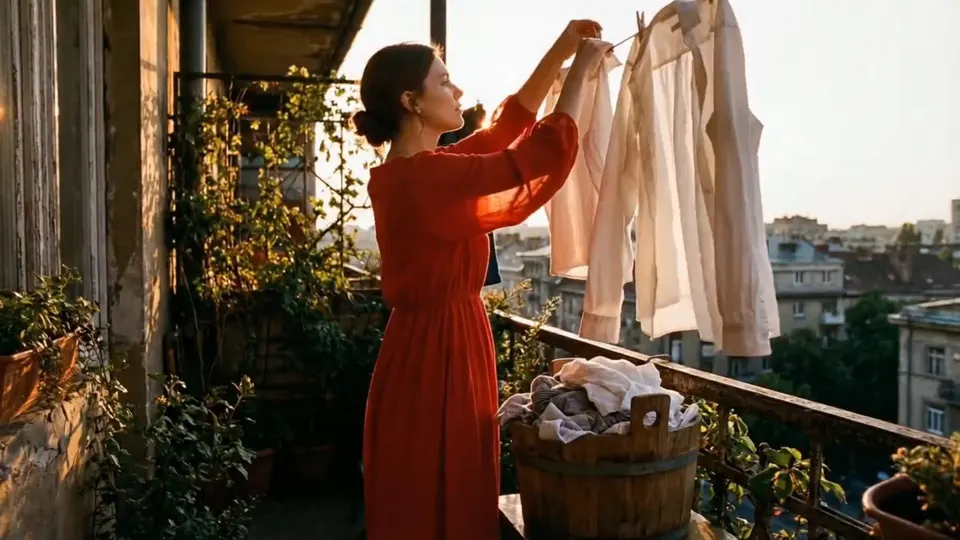 Official Seedance 2.0 example · ByteDance Seed
01
Start from one image and describe the action; cloth, hair and light follow the movement the way they would on camera.
 Official Seedance 2.0 example · ByteDance Seed
02
A single prompt can cover several shots of a dance or performance, cut to a soundtrack generated with them.
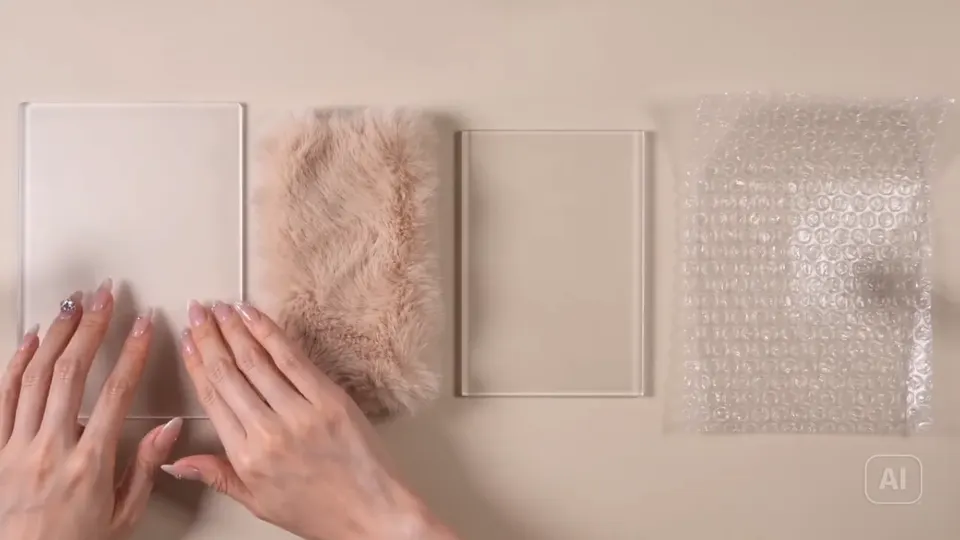 Official Seedance 2.0 example · ByteDance Seed
03
Small sounds, like fingers on frosted glass or fabric, are generated in time with the picture, which suits ASMR and product close-ups.
Seedance 2 Mini
Where Seedance 2 Mini is the right call, and where a different model does the job better.
Compared with Seedance 2.0
About half the cost at 720P; no 1080P or 4K output
Compared with Seedance 2.5
Clips up to 15 seconds instead of 30, at a lower cost
Best decision signal
Many drafts or 720P delivery matter more than peak resolution
Upload the images, clips or audio the shot should follow, or start from a prompt alone.
Say what happens shot by shot and what the audio should be, and name the job of each reference.
Pick 480P or 720P and a length of 4–15 seconds. When a version works, rerun it on Seedance 2.0 for 1080P or 4K.
Compare output length, resolution, references, aspect ratios, and audio support before choosing a model for your next video.
| Capability | Seedance 2.0 | Seedance 2 MiniCurrent model | Seedance 2.5 |
|---|---|---|---|
| Best for | High-resolution production | Fast, economical iteration | Longer, coherent storytelling |
| Output duration | 4–15 seconds | 4–15 seconds | 4–30 seconds |
| Output resolution | 480P / 720P / 1080P / 4K | 480P / 720P | 480P / 720P / 1080P |
| Input and references | Text + image / video / audio references | Text + image / video / audio references | Text + image / video / audio references |
| Reference capacity | 9 images · 3 videos · 3 audio files | 9 images · 3 videos · 3 audio files | 30 images · 10 videos · 10 audio files |
| Aspect ratios | 21:9 · 16:9 · 4:3 · 1:1 · 3:4 · 9:16 | 21:9 · 16:9 · 4:3 · 1:1 · 3:4 · 9:16 | 21:9 · 16:9 · 4:3 · 1:1 · 3:4 · 9:16 |
| Native synchronized audio | Supported | Supported | Supported |
Set up the brief now, then continue in the shared Studio workspace.